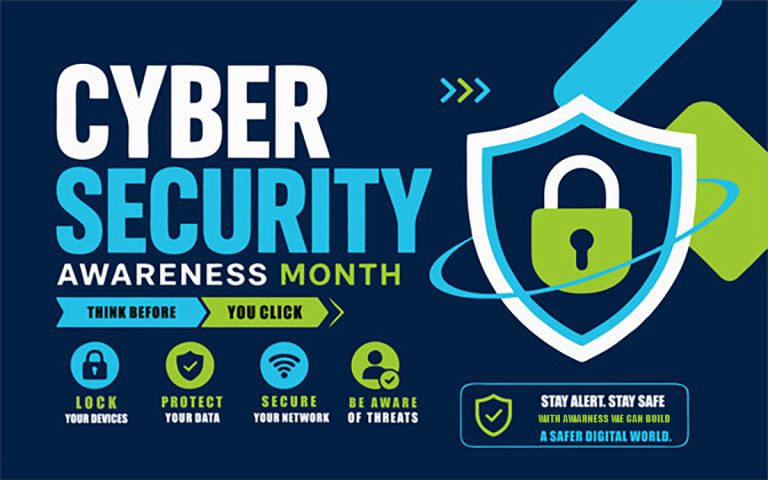
October is Cybersecurity Awareness Month, just reminder that online safety is everyone’s responsibility. Phishing and digital fraud can affect anyone, but simple precautions can greatly reduce the risk making it an ideal time to strengthen our digital safety habits. As online banking, digital payments, shopping, and communication become part of everyday life, cyber fraud is an increasing concern. Phishing and other online scams can affect anyone, potentially resulting in financial loss, identity theft, privacy violations, and emotional distress.
The good news is that a few simple precautions, combined with awareness and timely action, can significantly reduce the risk of becoming a victim of cybercrime.
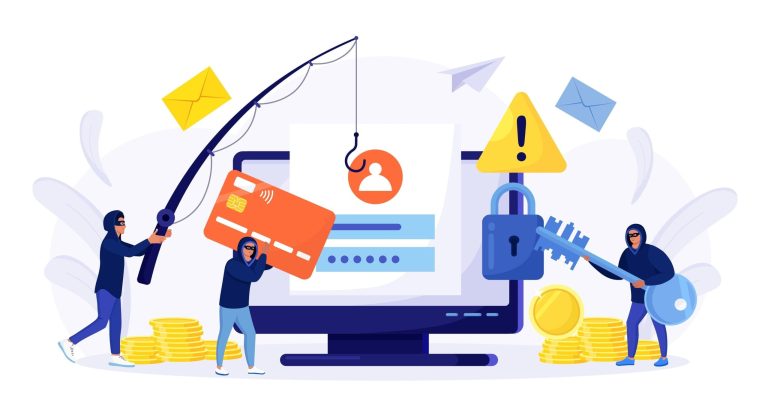
Phishing is a cyber-fraud technique in which criminals pretend to be a trusted individuals or organizations to deceive people into revealing confidential information, clicking malicious links, downloading harmful files, or transferring money. Fraudsters may pose as representatives of banks, government departments, the Income Tax Department, police agencies, gas agencies, courier companies, or online-shopping platforms.—to trick people into sharing sensitive information or transferring money.
Fraudsters may ask for:
• Bank-account details, debit/credit-card numbers, CVV, or UPI PIN.
• OTPs, passwords, email credentials, or mobile unlock PINs.
• Personal identity information such as Aadhaar or PAN.
• Photos, videos, or other private information that can be misused.
But the fact is A genuine bank, government department, or police agency will never ask for your OTP, PIN, password, card details, or ask you to install an app or transfer money to “verify” your identity.
Remember: Never disclose your OTP, UPI PIN, password, or CVV to anyone. Do not install an unfamiliar application or transfer money at the request of an unsolicited caller to verify your identity or secure your account.
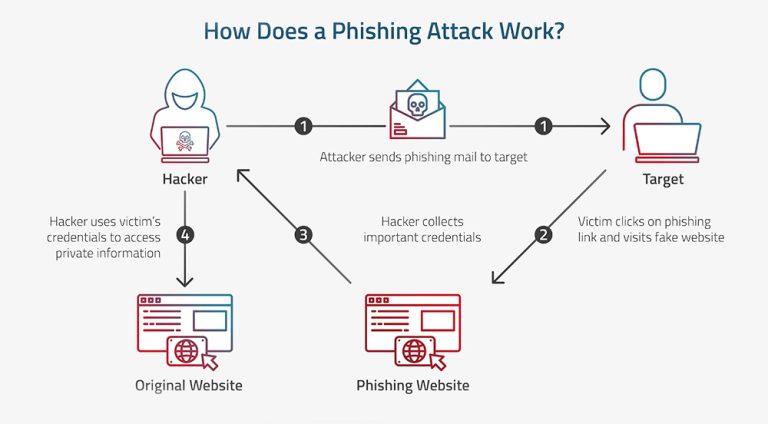
Cyber criminals frequently exploit fear, urgency, curiosity, and the promise of financial gain. A message may claim that your bank account will be blocked, your KYC details have expired, a parcel is awaiting clearance, you owe unpaid taxes, or you are involved in a criminal investigation.
Common methods include:
• Fake calls, SMS, WhatsApp messages, and emails
• Links that look genuine but lead to fake websites
• Malicious attachments that install malware
• Fake customer-care numbers found through search engines
• Video-call scams where fraudsters pose as police or officials
• Fake investment, job, loan, lottery, refund, or charity offers
• Misuse of personal photographs to create fake profiles or blackmail victim
A message that appears official is not necessarily genuine. Always verify suspicious claims through the organisation’s official website, app, or independently verified contact details, not through contact details provided in the suspicious message
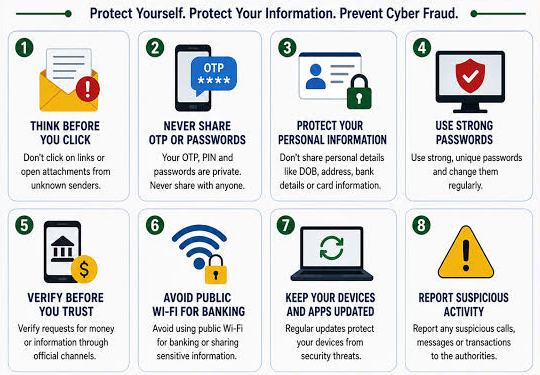
>> Never share OTPs, UPI PINs, passwords, CVV numbers, or card security details with anyone.
>> Avoid clicking links or opening attachments in unexpected emails, SMS messages, or WhatsApp messages.
>> Access official websites by typing their addresses directly into your browser or using trusted bookmarks.
>> Be cautious of messages involving urgent payments, account suspensions, legal threats, unexpected refunds, or prizes.
>> Never transfer money simply because an unknown caller claims that your account is at risk.
>> Verify investment opportunities, job offers, loan approvals, and charitable appeals before making payments.
>> Share Aadhaar, PAN, and other identity documents only when necessary and through verified, secure channels.
>> Use strong, unique and complecx passwords for different accounts.
>> Enable multi-factor authentication (MFA) wherever available.
>> Keep your operating system, mobile applications, browser, and security software updated.
>> Secure your devices with a PIN, password, fingerprint, or facial recognition.
>> Avoid accessing banking services or conducting sensitive transactions over unsecured public Wi-Fi.
>> Log out of accounts when using shared or public devices.
>> Review account activity and enable transaction alerts to identify suspicious activity promptly.
>> Never install remote-access applications or screen-sharing tools at the request of an unknown caller claiming to offer technical or banking assistance.
Information shared online can sometimes be misused in ways that are difficult to anticipate. Be careful about what you post publicly on social media. Personal photographs identity documents, family details, and location information can be misused for fake profiles, harassment, morphing, sextortion, or blackmail.
>> Keep social-media profiles private where appropriate and review privacy settings regularly.
>> Avoid publicly sharing sensitive family photographs, identity documents, live location details, or travel plans.
>> Do not allow strangers to photograph your identity documents or access your personal device without a valid reason.
>> Share personal photographs selectively and be mindful of the information visible in the background.
>> Consider watermarking photographs intended for public sharing, while remembering that watermarks cannot prevent all forms of misuse.
>> Preserve screenshots, URLs, messages, and other evidence if your photographs or personal information are misused.
If you experience blackmail, harassment, or misuse of images, do not give in to demands, preserve the evidence and report it immediately. The National Cyber Crime Reporting Portal allows citizens to report cybercrimes, with special focus on offenses affecting women and children.
Before responding to an unexpected call, message, email, or payment request, pause and verify its authenticity.
Ask yourself:
>> Was I expecting this communication?
>> Is the sender using an official and verifiable contact channel?
>> Is there unusual pressure to act immediately?
>> Am I being asked to share confidential information, install an application, or transfer money?
>> Can I independently confirm the claim through the organisation’s official website or customer-support channel?
Cyber fraud can affect people of every age group and background. However, certain individuals may face additional risks because of unfamiliarity with digital services, accessibility barriers, or targeted manipulation.
Families, schools, and workplaces can play an important role in prevention. Encourage open conversations about online safety and remind everyone to pause before responding to unfamiliar callers, unexpected payment requests, or messages that create fear or urgency.
Act immediately. Prompt reporting is particularly important in financial fraud, where early intervention may help authorities and financial institutions attempt to prevent further loss.
>> Stop further communication with the fraudster.
>> Change affected passwords immediately and enable MFA.
>> Contact your bank to block the card or freeze the account.
>> Call 1930, India’s national cybercrime helpline, for immediate assistance with online financial fraud
>> Report the incident at cybercrime.gov.in and to your local police/cybercrime department.
>> Preserve screenshots, transaction IDs, phone numbers, email headers, links, and chat records as evidence.
>> For phishing emails claiming to be from the Income Tax Department, report them to webmanager@incometax.gov.in; other phishing incidents can be reported to incident@cert-in.org.in
When you report through the 1930 helpline, you will receive an acknowledgement or login ID by SMS or email. You must then complete the complaint registration on the National Cyber Crime Reporting Portal within 24 hours.cybercrime.gov
On the portal, register using your mobile number and verify it through an OTP. You can upload evidence, submit the complaint details, and track the case progress online.cybercrime.
For financial fraud, keep these details available:
>> Your name, mobile number, and email address
>> Bank, wallet, merchant, or UPI app involved
>> Account number, wallet ID, merchant ID, or UPI ID from which money was debited
>> Transaction ID/UTR, amount, date, and time
>> Debit/credit-card number if card credentials were misused
>> Screenshots of transactions, chats, emails, fake websites, or caller details
>> Any links, phone numbers, social-media profiles, or website addresses used by the scammer cyber crime.
Situation |
Where to report |
|---|---|
Online money fraud, UPI fraud, phishing, unauthorized transaction
|
Call 1930 and file at cybercrime.gov.in cybercrime.
|
Card lost, stolen, or misused
|
Contact your bank immediately through its official helpline/app and report at 1930 if money was lost.
|
Cyberbullying, fake profile, morphed images, online harassment
|
Report at cybercrime.gov.in; the portal gives special focus to crimes against women and children.
|
Phishing email claiming to be from the Income Tax Department
|
Report to webmanager@incometax.gov.in
|
Other phishing or cybersecurity incidents
|
Report to incident@cert-in.org.in
|
We look forward to connecting with you and discussing how we can help you achieve your digital goals.
Copyright © 2024 Raji Imagery®. All rights reserved.
By using our site, you agree to our use of cookies.
Websites store cookies to enhance functionality and personalise your experience. You can manage your preferences, but blocking some cookies may impact site performance and services.
Essential cookies enable basic functions and are necessary for the proper function of the website.
These cookies are needed for adding comments on this website.

